/ 01
The problem
Young shoppers find their fashion on social media, where trends go viral and disappear within weeks. The big brands sell on their own sites, the marketplaces are cluttered, and nothing helps you see what's trending now or how much you've actually been spending on it.
Our pitch was one stop for youth fashion: curated collections from the brands people actually want, trend news, and a personal dashboard that shows where your money goes.
/ 02
Approach
We had four people, four days and very different levels of experience. I set up the project scaffold on the first day (the page structure, SCSS architecture, product data file and shared nav) so everyone could build in parallel without stepping on each other.
Every teammate worked in a fork and opened pull requests, and I reviewed and merged all 25 of them. Anannya owned the product detail pages, Sayantan fixed filtering and pricing, and Ayandip wrote the news content and the README. I built the home, shop, about and profile pages, Firebase sign-in and the stats dashboard.
We kept the stack to what the whole team knew: HTML, SCSS and vanilla JavaScript, with Firebase for accounts and small libraries for the carousel and charts. It was a deliberate trade, so that nobody spent the hackathon learning a framework.
/ 03
What I built
Filterable top collection
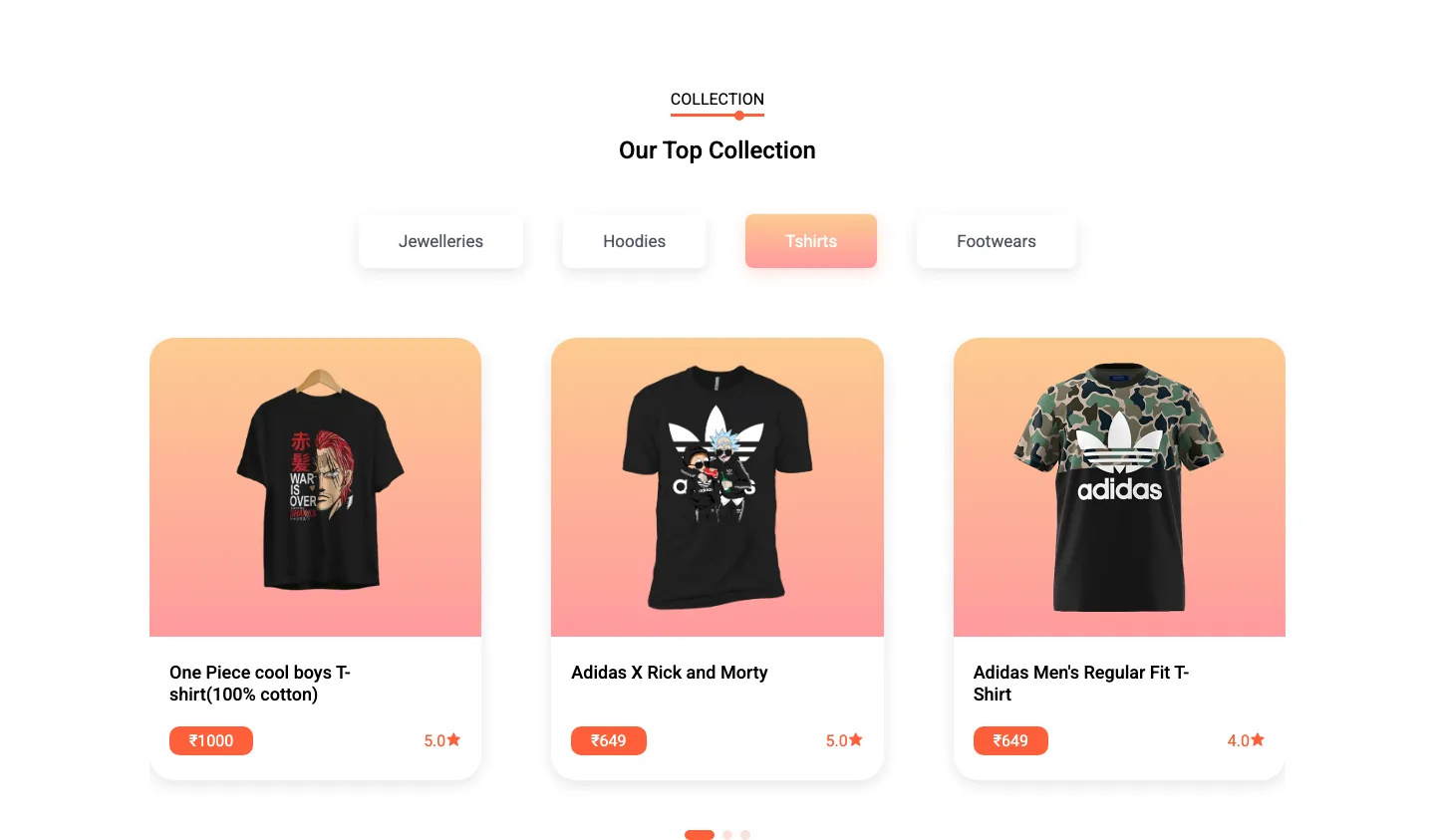
Category pills (jewellery, hoodies, tees, footwear) filter a JSON catalogue and re-render a Swiper carousel that shows one, two or three cards depending on screen width.
Shop grid
A grid of rounded product cards with brand imagery, ₹ prices and ratings, each linking to its detail page.
Product detail
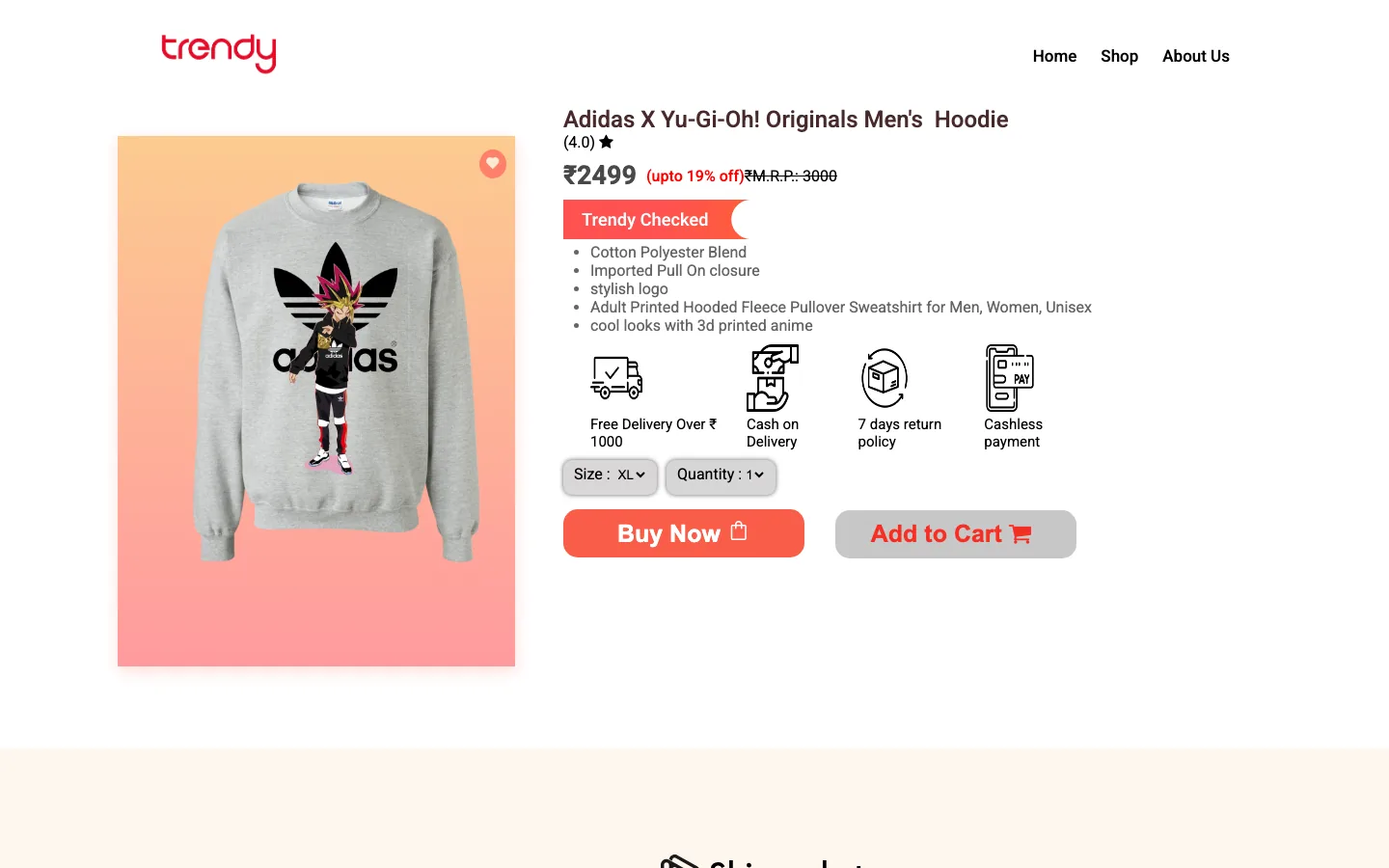
Price with MRP and discount, a 'Trendy Checked' badge, specs, delivery and returns icons, and size and quantity pickers.
Two-mood sign-in
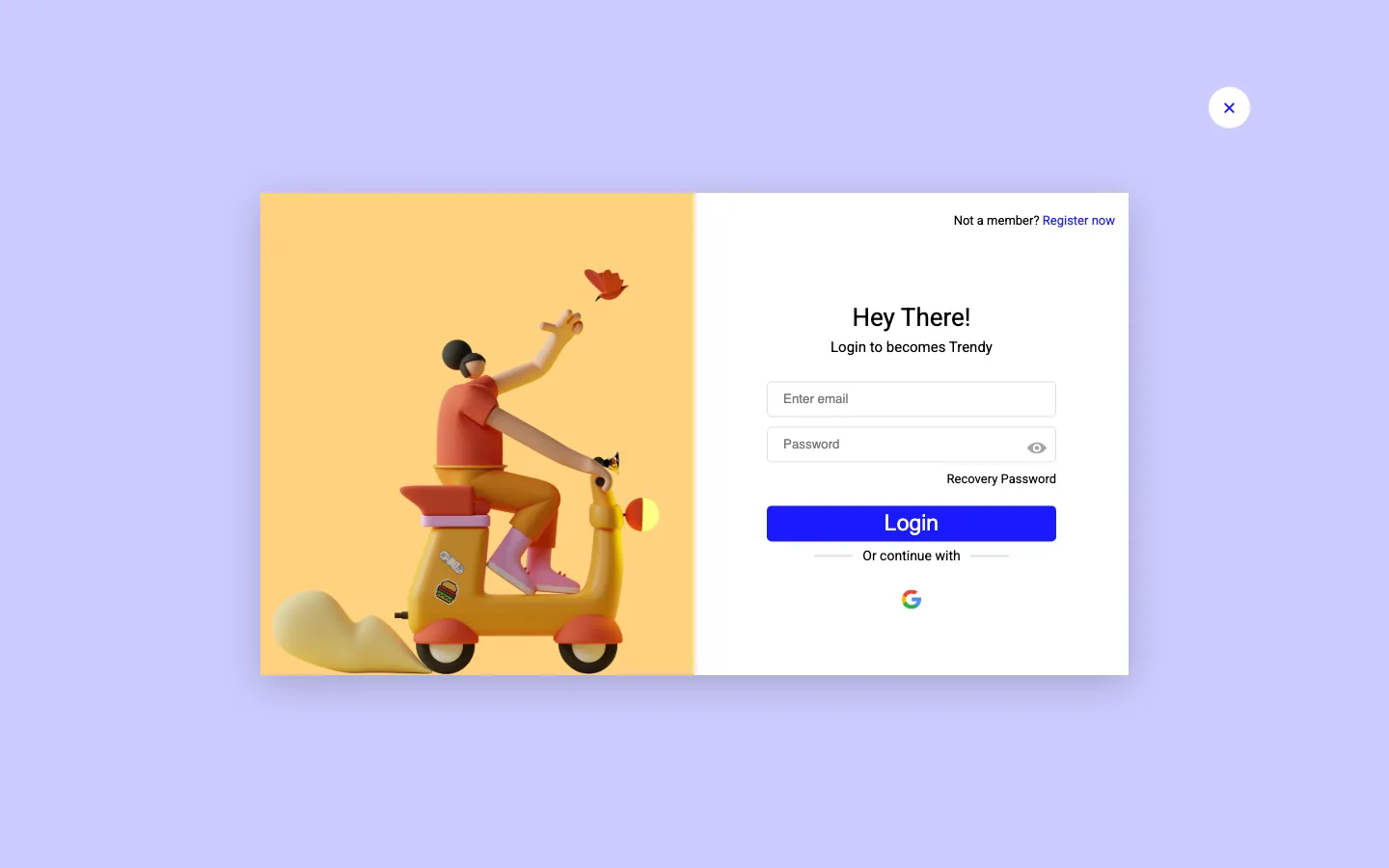
One modal for register and login. Switching modes flips the layout and changes the accent colour, and Google sign-in is one tap.
Spending dashboard
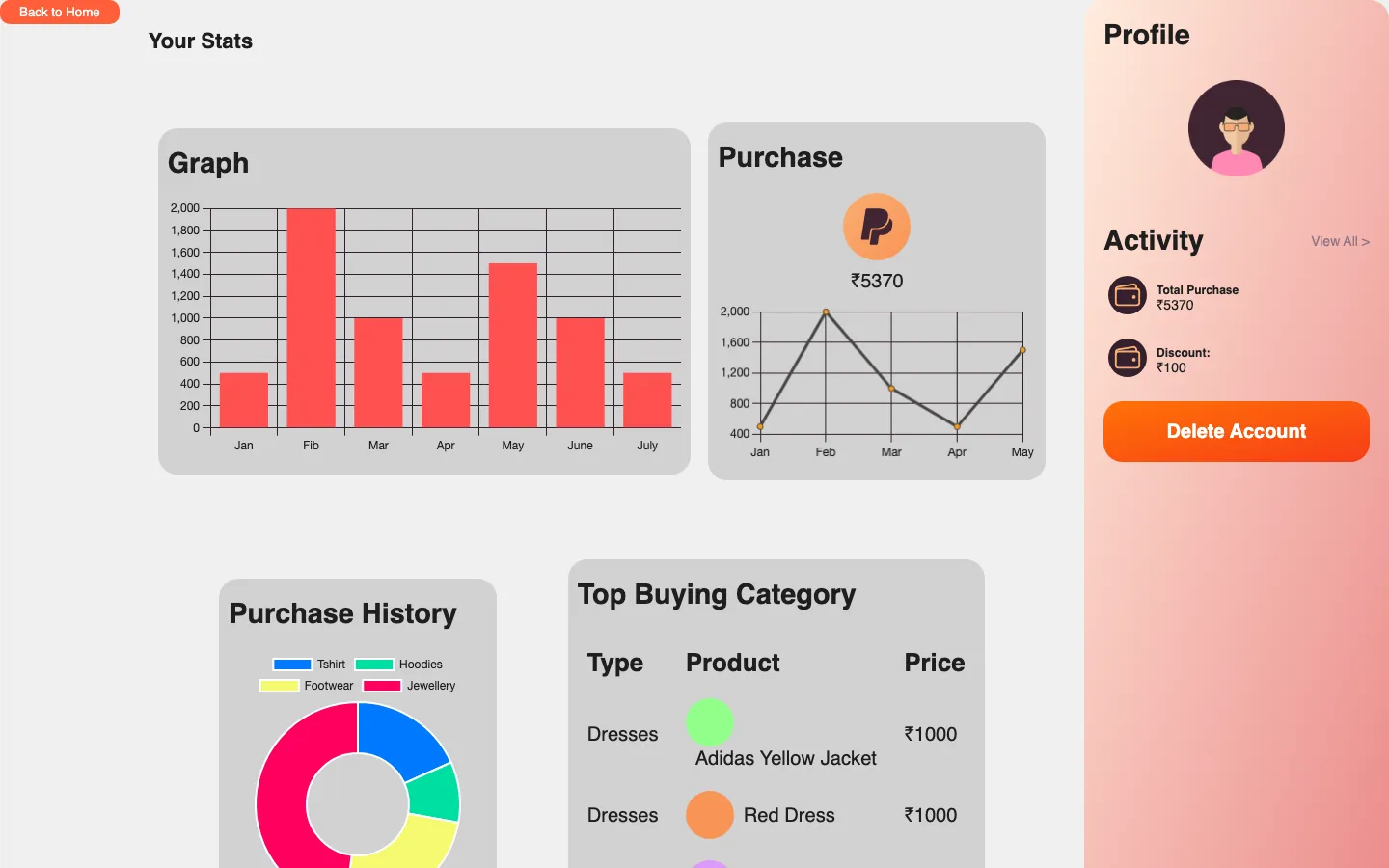
A 'Your Stats' profile with Chart.js bar, line and doughnut charts for revenue, purchases and spend by category, plus top categories. It runs on sample data in this prototype.
Auth-aware navigation
Every page checks sign-in state and swaps the login icon for a Profile link once you're signed in.
/ 04
How it works
- Pages
- Home
- Shop
- 25 product pages
- About
- Profile
- Behaviour
- Vanilla JS
- products.json catalogue
- Swiper
- Chart.js
- Identity
- Firebase Auth
- Email & Google
- Delivery
- GitHub Actions
- Vercel
/ 05
Hard parts
- 1
Four people, one repo, four days
The hardest part wasn't code. It was 25 pull requests landing on the same pages under deadline pressure. A shared scaffold on day one, clear page ownership and one person merging kept the conflicts manageable. It's also what I'd point to for the 'project workflow' side of the event.
- 2
A catalogue without a backend
Products live in one JSON file. The home page fetches it, filters by category and renders the cards into the carousel with template literals, so adding a product means adding one entry rather than editing markup.
const res = await fetch("./data/products.json"); let products = await res.json(); products = products.filter((p) => p.category === filter); displayProductItems(products); - 3
One variable, two moods
Register and login share a single modal. Each toggle carries its accent in a data attribute, and switching sets one CSS custom property, so the whole form changes colour (pink for joining, blue for returning) without any duplicated styles.
document.querySelector(":root") .style.setProperty("--custom", btn.dataset.color); - 4
Getting auth right as first-time Firebase users
None of us had used Firebase before, and the README says so. Sign-in state had to carry across separate HTML pages. We passed the user ID between them through the browser, which was the fiddliest bug-fix loop of the weekend. Today I'd use a shared auth module that listens to Firebase's own auth state.
/ 06
Design
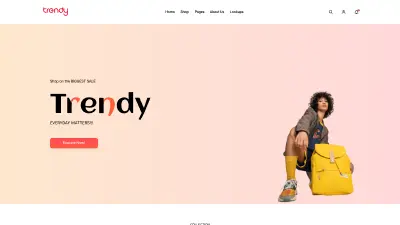
It's warm and editorial. A big rounded peach hero puts the 'Trendy' wordmark huge with an orange 'n', next to a model cut-out. Small-caps eyebrows sit over every section heading, and a single orange-red accent carries buttons, prices and underlines. A peach-to-pink gradient ties the product image panels and active filter pills together.
The design started as Figma mockups before we wrote any code. The home and shop pages follow that system most closely. The product and dashboard pages are denser, and they're where I'd focus a second design pass.
- Orange-red#FF5E3A
- Peach#FCCB90
- Pink#FF9A9E
- Slate#4F5665
- Surface#F0F0F0
/ 07
Outcome
- Shipped a multi-page storefront with Firebase sign-in, a filterable catalogue, 25 product pages and a stats dashboard in four days.
- Team HalfByte took the Best Project Workflow track at InterHacktive.
- Coordinated 25 merged pull requests from three teammates, and later set up CI/CD from GitHub Actions to Vercel.
- Cart and checkout were out of scope for the hackathon. The purchase buttons are placeholders, and that's the next feature to build.
/ 08
What I learned
- On a team, set up the scaffold first. An hour on shared structure on day one saved us many hours of merge conflicts later.
- Generate pages from data. Twenty-five near-identical product pages should be one template fed by the JSON catalogue.
- Keep credentials out of the browser. Identity should come from the auth provider's session, and nothing sensitive should be stored client-side.
/ 09
Screens