/ 01
The problem
Most students choose a career from a short list of options their family or friends know about. A real careers counsellor is expensive and hard to book, and online aptitude tests end with a generic label rather than a plan.
Job applications have a second gap. Even a well-suited candidate gets filtered out by applicant-tracking systems if the resume doesn't use the words the job description does.
The hackathon version tackled both problems, but it was fragile. The prompts lived in Mistral's console, the report was free-form Markdown, the keyword route broke after a late rename, and every limit was enforced only in the browser.
/ 02
Approach
At the hackathon, Abhijit built the app shell, quiz and integrations, Gairik added PDF export, and I wrote the resume-keyword service behind JobKey Matcher. My fix there was to read the Mistral agent's reply from its message object instead of a text field that didn't exist.
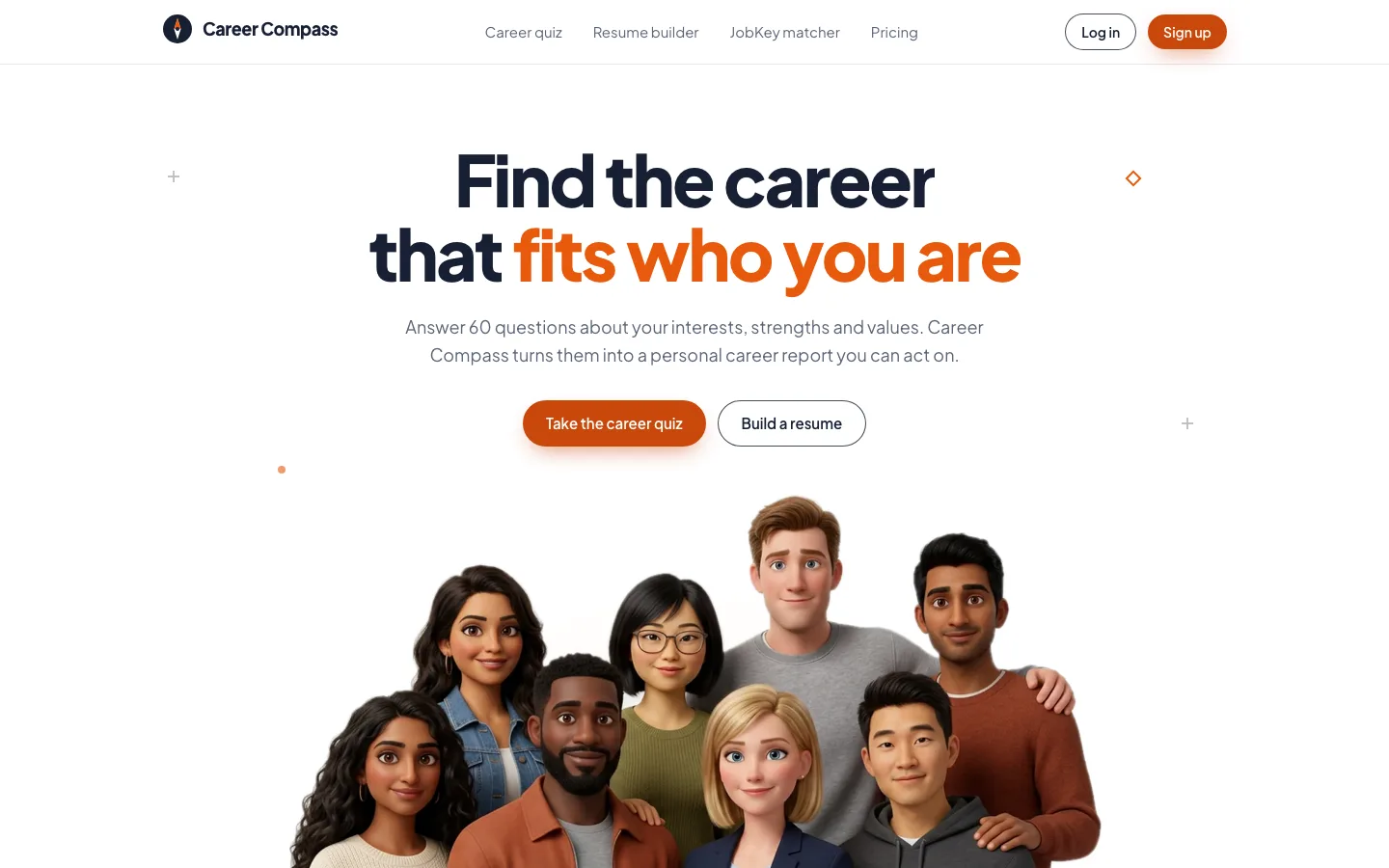
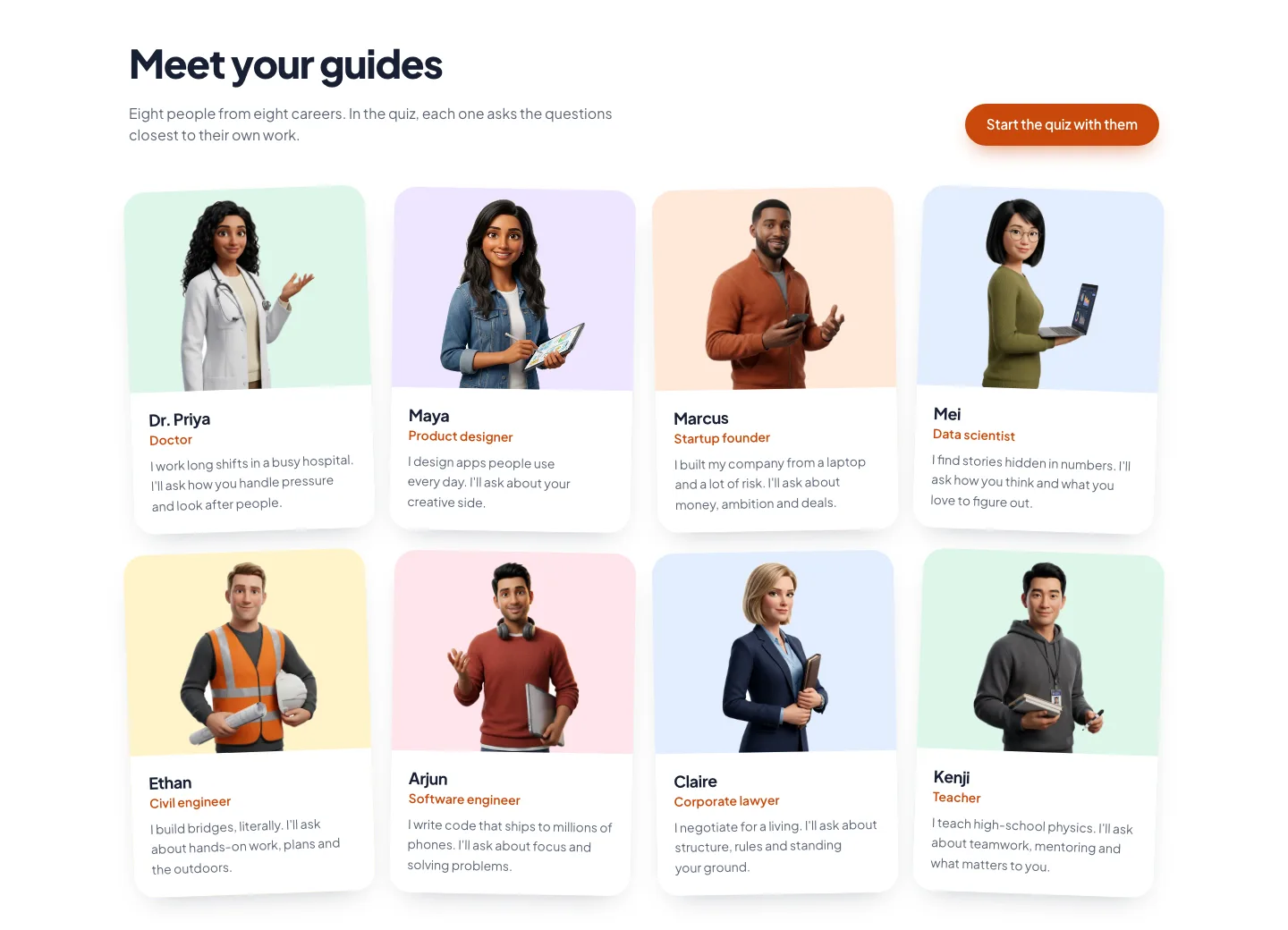
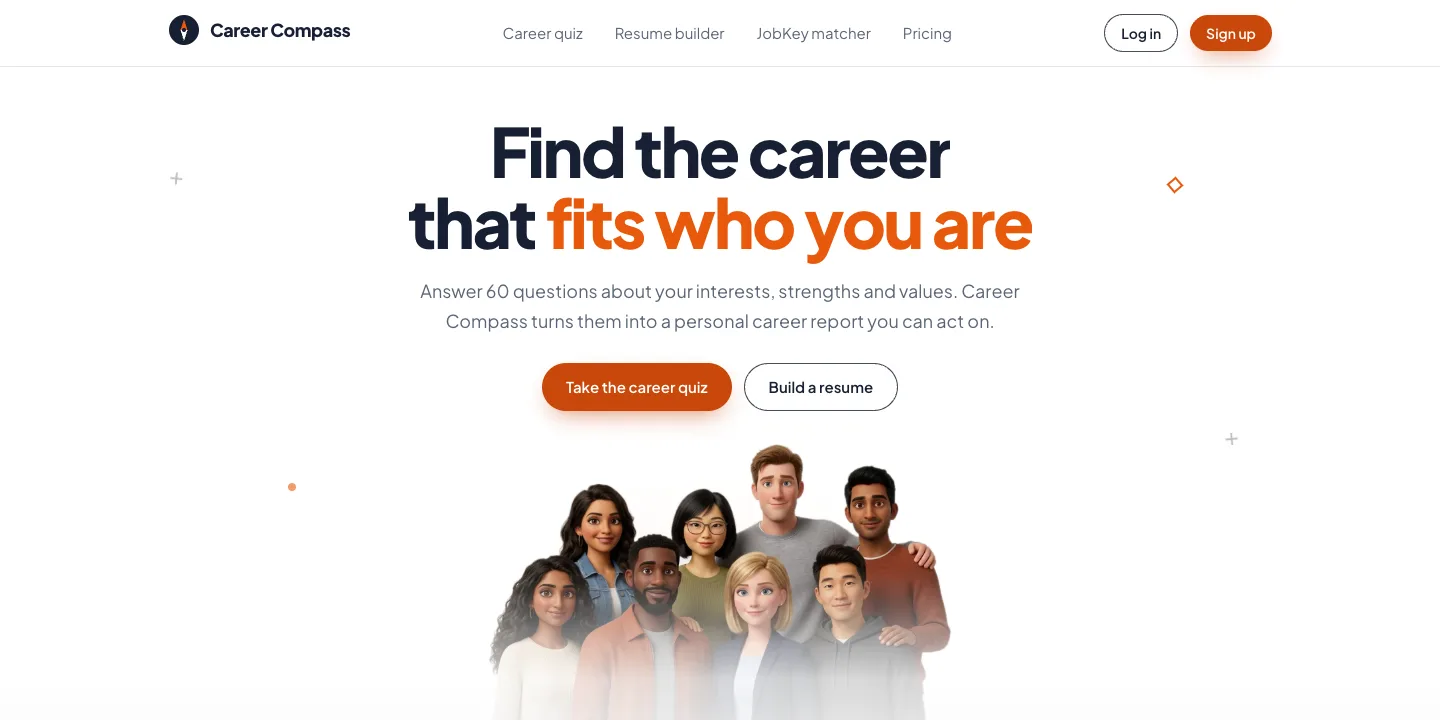
For the rebuild I kept the idea and the three tools and replaced almost everything else. The 60 questions are now asked by eight guide personas, including a doctor, a designer, a founder and a teacher. They're split into six checkpoints, each with a badge and bonus XP, so a long quiz feels like progress rather than a form.
On the backend, both prompts moved into the repo and the AI moved from Mistral agents to Gemini. The career report comes back as JSON that matches a schema, so the app and the PDF can lay it out as cards, scores and lists instead of rendering Markdown. The server now verifies the Firebase sign-in, enforces one report every 30 days, and saves the report to the account itself.
/ 03
What I rebuilt
A quiz with guides
Eight guides from different careers take turns asking the questions closest to their field. Each answer earns XP and a short reaction, and finishing each of the six checkpoints unlocks a badge. Number keys 1–5 answer the current question.
Progress that survives
Answers are saved to the device on every change and to the account shortly after, so you can close the tab or switch devices and carry on. The newest copy wins, and answers to questions that no longer exist are dropped.
Structured career report
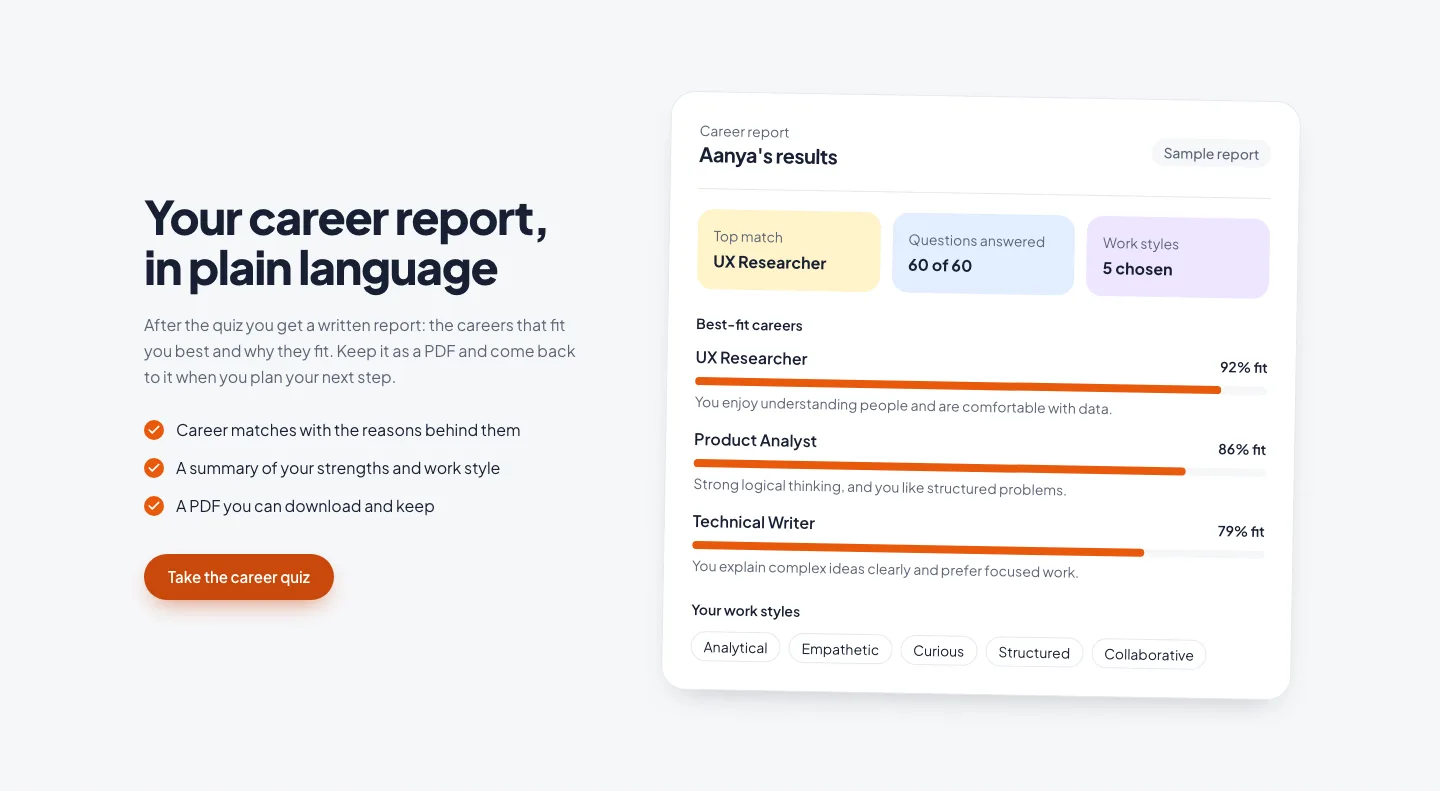
A summary, your strengths, five best-fit careers with fit scores, skills to build and entry paths, and next steps. Each career is matched to the guide whose field it belongs to, and the last 12 reports are kept on your account.
Designed PDF export
The report downloads as a branded PDF built in the browser with jsPDF: a header band, strength pills, career cards with each guide's photo cropped to a circle, and numbered next steps.
Coached resume builder
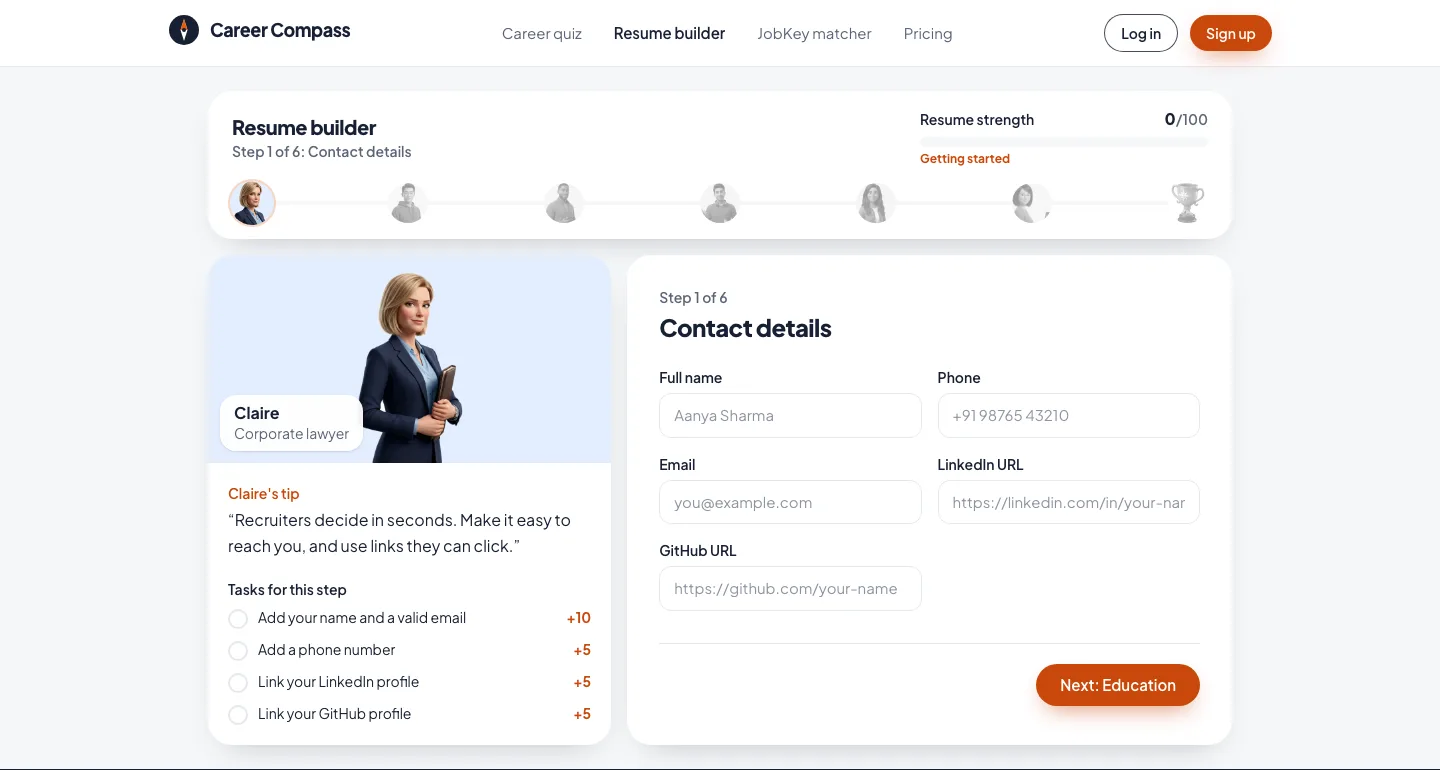
Six steps, each coached by one of the guides, with a live preview and a strength score out of 100 that's built from small tasks like 'Link your GitHub profile (+5)'. It exports a PDF and saves to your account.
JobKey Matcher
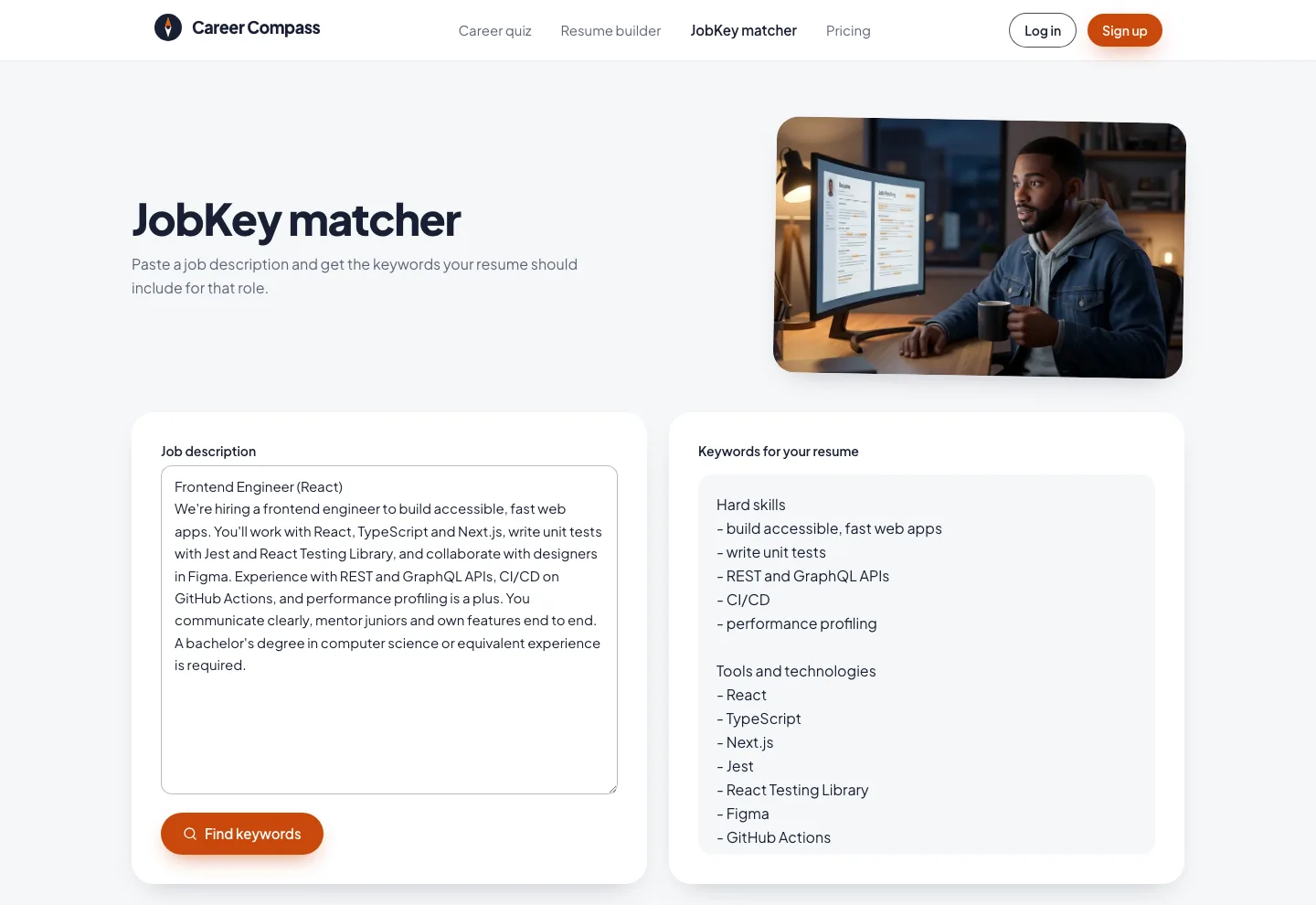
Paste a job description and get the keywords your resume should include, grouped as hard skills, tools, soft skills, certifications and role-specific terms, all taken from the posting itself.
/ 04
How it works
- Front end
- React 19 + Vite
- Tailwind CSS v4
- Framer Motion + GSAP
- jsPDF
- Identity & data
- Firebase Auth
- Firestore
- Security rules
- API
- Node + Express
- Render
- ID-token check
- 30-day limit
- AI
- Gemini API
- JSON-schema output
- Model fallback
/ 05
Hard parts
- 1
A limit the browser can't skip
In the original, the one-quiz-a-month rule only existed in the front end, so anyone could call the API directly as often as they liked. Now the server checks the limit and marks a report as in progress in one Firestore transaction. Two requests at the same moment can't both get through, and if Gemini fails the slot is released so the user can try again. The rules block every client write to the reports collection.
await db.runTransaction(async (tx) => { const data = (await tx.get(reportDoc(uid))).data() ?? {}; if (last && now < last + 30 * DAY_MS) throw new QuizLimitError(429, …); if (lockedUntil && now < lockedUntil) throw new QuizLimitError(409, …); tx.set(reportDoc(uid), { generatingUntil: now + 3 * MINUTE }, { merge: true }); }); - 2
From Markdown to a schema
The hackathon report was Markdown that the app had to parse to show anything richer. Gemini now has to return JSON that matches a schema, with an enum that ties each career to one of the eight guides. A small normaliser on the client fills gaps and drops anything malformed, and it can still read reports saved in the old Markdown format.
- 3
Free-tier models under load
The newest Gemini Flash model on the free tier often returns 503 'high demand'. Requests now try the next model down when a call fails with 429, 500, 503 or 504, and fail straight away on any other error, so a busy model slows a report down instead of losing it.
- 4
Reading an agent's reply correctly
My part of the hackathon build. The keyword route was written as if Mistral returned plain completion text, but agent responses put the text inside a message object, so .text was undefined and .trim() threw on every call. It taught me to read the response shape before parsing it, and the rebuild returns one { role, content } shape from every AI call.
/ 06
Design
The rebuild drops the purple-to-pink gradient for one warm orange accent on deep navy ink, with Plus Jakarta Sans throughout. Every guide has their own pastel tint, and that tint follows them from the landing page into the quiz, the report and the resume coach, so the eight characters hold the whole product together.
Cards on the landing page drop into place with a slight spin, the 'How it works' line fills as you scroll, and the quiz has small rewards: a guide sliding in, a reaction popping up and XP floating away. Scroll effects only run when the visitor hasn't asked for reduced motion, and without them the page shows its final state.
- Accent#C9480C
- Accent bright#E8590C
- Ink#172033
- Peach#FFE8D9
- Sky#E3EEFF
- Mint#DDF6E9
/ 07
Outcome
- The hackathon team shipped a working quiz, AI report, resume builder and JobKey flow within the event window. My contribution was the fix that made the keyword route work with Mistral's agent responses.
- The rebuild is live on Vercel with the API on Render. JobKey Matcher and the resume builder work without an account, and the quiz and saved reports need a sign-in.
- Payment is still simulated, and the paywall is switched off, so every signed-in user can download their report. Premium status can't be trusted until a server sets it after a real payment.
/ 08
What I learned
- Treat prompts as code. Moving them into the repo with a JSON schema fixed the class of bugs that broke the hackathon build.
- Any limit that matters belongs on the server. The 30-day rule only became real once the API enforced it in a transaction and the rules locked the browser out.
- Characters can carry a product. Giving the quiz, report and resume builder the same eight guides made three tools feel like one app.
/ 09
Screens